


Cable management is a crucial aspect of maintaining an organized and efficient workspace, whether it's in a home office, a data center, or an industrial setting. Among the various tools available for cable management, self-locking cable ties stand out as a versatile and reliable solution. As a supplier of high-quality self-locking cable ties, I'm excited to share some insights on how to use these essential tools effectively in cable management systems.
Understanding Self-Locking Cable Ties
Self-locking cable ties, also known as zip ties, are simple yet powerful devices designed to bundle and secure cables together. They consist of a flexible strap with teeth on one side and a locking mechanism at the end. When the strap is threaded through the locking mechanism, it creates a tight loop that holds the cables firmly in place. The self-locking feature ensures that the tie remains secure once tightened, preventing it from loosening over time.
There are different types of self-locking cable ties available, each with its own unique features and applications. For example, Self Locking Nylon Cable Tie are made from durable nylon material, which offers excellent strength and resistance to environmental factors such as heat, moisture, and chemicals. These ties are suitable for a wide range of applications, from general cable management to outdoor installations.
On the other hand, Chassis Cable Ties are specifically designed for use in electronic enclosures and chassis. They are typically smaller in size and have a low-profile design, which allows them to be used in tight spaces without interfering with other components.
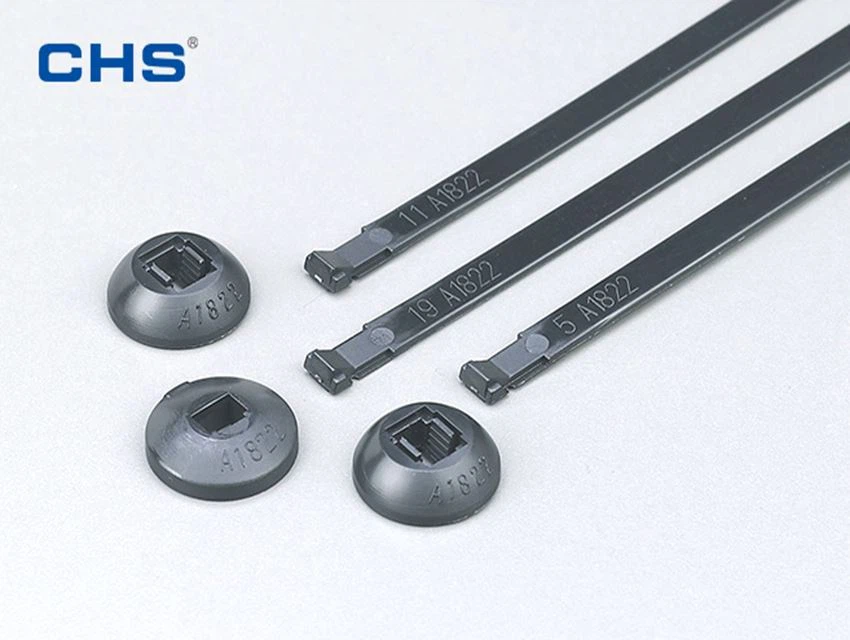

Steps to Use Self-Locking Cable Ties in Cable Management
Step 1: Plan Your Cable Management System
Before you start using self-locking cable ties, it's important to have a clear plan for your cable management system. This includes identifying the cables that need to be organized, determining the best routing paths for the cables, and deciding on the appropriate locations for the cable ties.
Start by creating a diagram or a sketch of your cable layout. This will help you visualize the overall system and ensure that you have a logical and efficient arrangement of cables. Consider factors such as cable length, bend radius, and accessibility when planning your routing paths.
Step 2: Select the Right Cable Ties
Once you have a plan in place, it's time to select the right self-locking cable ties for your application. Consider the following factors when choosing cable ties:
- Size: Cable ties come in various sizes, ranging from small ties for thin cables to large ties for thick bundles of cables. Choose a tie that is appropriate for the size and number of cables you need to secure.
- Material: As mentioned earlier, nylon is a popular material for cable ties due to its strength and durability. However, there are also other materials available, such as stainless steel and polyester, which may be more suitable for specific applications.
- Strength: The strength of a cable tie is measured in pounds or kilograms. Choose a tie with a strength rating that is sufficient to hold the cables securely in place.
- Temperature Resistance: If your cables will be exposed to high temperatures, such as in a data center or an industrial environment, choose cable ties that are rated for high-temperature applications.
Step 3: Prepare the Cables
Before you start tying the cables, it's important to prepare them properly. This includes removing any excess slack from the cables, straightening them out, and ensuring that they are clean and free of debris.
If you have a large number of cables, you may want to group them together based on their function or location. This will make it easier to manage and organize the cables and will also reduce the number of cable ties required.
Step 4: Install the Cable Ties
Once the cables are prepared, it's time to install the self-locking cable ties. Follow these steps to install the cable ties correctly:
- Thread the Tie: Insert the end of the cable tie through the locking mechanism, making sure that the teeth on the strap engage with the locking mechanism.
- Tighten the Tie: Pull the free end of the cable tie firmly to tighten the loop around the cables. Make sure that the tie is tight enough to hold the cables securely in place, but not so tight that it damages the cables.
- Trim the Excess: Once the tie is tightened, use a pair of scissors or a cable tie cutter to trim off the excess length of the tie. Make sure to leave a small amount of excess length to prevent the tie from coming loose.
Step 5: Secure the Cable Ties
After installing the cable ties, it's important to secure them properly to prevent them from moving or coming loose. You can use additional cable ties or mounting hardware to secure the ties to a surface or to other cables.
If you are using cable ties in an environment where they may be exposed to vibration or movement, consider using cable tie mounts or clips to provide additional support and stability.
Step 6: Inspect and Maintain the Cable Management System
Once you have installed the cable ties and secured them properly, it's important to inspect the cable management system regularly to ensure that it is functioning properly. Check for any signs of damage or wear on the cable ties, such as fraying or cracking, and replace any damaged ties immediately.
In addition, make sure to keep the cable management system clean and free of debris. This will help to prevent the buildup of dust and dirt, which can affect the performance of the cables and the cable ties.
Tips for Using Self-Locking Cable Ties Effectively
- Use the Right Tension: When tightening the cable ties, make sure to use the right amount of tension. Too much tension can damage the cables, while too little tension can cause the ties to come loose.
- Avoid Over-Tightening: Over-tightening the cable ties can damage the cables and can also make it difficult to remove the ties if necessary. Use a cable tie tensioner or a torque wrench to ensure that the ties are tightened to the correct tension.
- Leave Some Slack: When tying the cables, leave a small amount of slack in the cables to allow for expansion and contraction due to temperature changes. This will help to prevent the cables from being damaged by excessive tension.
- Label the Cables: To make it easier to identify and manage the cables, consider labeling them with tags or markers. This will help you to quickly locate and trace the cables if necessary.
- Use Cable Tie Accessories: There are a variety of cable tie accessories available, such as cable tie mounts, clips, and markers, which can help you to organize and manage your cables more effectively. Consider using these accessories to enhance the functionality and appearance of your cable management system.
Conclusion
Self-locking cable ties are an essential tool for cable management systems. By following the steps and tips outlined in this blog post, you can use these ties effectively to organize and secure your cables, creating a clean and efficient workspace.
As a supplier of high-quality Self Locking Cable Tie, we are committed to providing our customers with the best products and services. If you have any questions or need further assistance with your cable management needs, please don't hesitate to contact us. We would be happy to help you find the right cable ties for your application and to provide you with any technical support or advice you may need.
References
- "Cable Management Best Practices," TechTarget, accessed [date].
- "Self-Locking Cable Ties: A Comprehensive Guide," Cable Ties Plus, accessed [date].
- "How to Use Cable Ties," WikiHow, accessed [date].
